
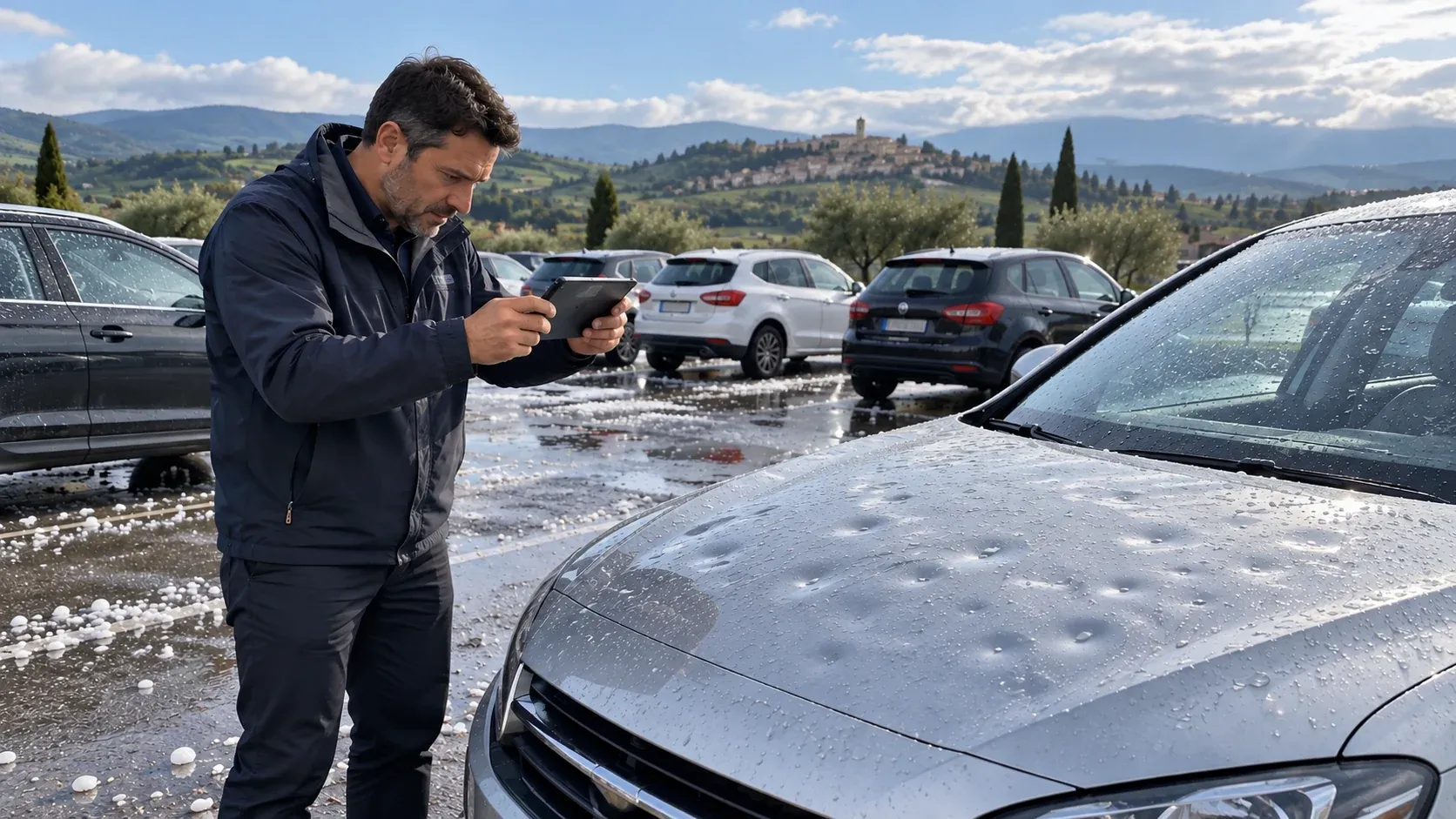
Insurance · Property & Casualty · Claims Processing
Hail Claim Payment Automation for an Italian Insurer
- Client
- Insurance · Italy · non-life and life, over €2B in annual premiums
- Industry
- Insurance
- Department
- Finance & Accounting
- Region
- Italy · Europe
One mistyped IBAN sends a claim payment to the wrong person, and after a hailstorm there are thousands of payments to key. We built a UiPath robot that reads the settlement document, runs four controls, keys the bank transfer itself and reports every payment and every refusal to the claims team.
A working model of the approach on sample data. It plays on its own and pauses when scrolled away; nothing here touches a live system.
The results
- 4
- controls before every payment
- Authority threshold, already-paid, tax code and IBAN checks, from the code of the built robot.
- 0
- manual keying, document to transfer Projected
- In the designed flow; built and tested in the insurer's claims test environment.
- 3
- fields read from each settlement document
- Tax code, IBAN and amount, with OCR fallback for scans. Scope, not a saving.
The challenge
Our client is an established Italian non-life and life insurer with over €2 billion in annual premiums. Hail claims arrive in bursts: a single storm turns into thousands of claims in a few days.
Once a claim was settled, a claims handler opened it in the claims system, found the settlement document, read the beneficiary's tax code, IBAN and amount, keyed the payment by hand and kept track of what had been paid.
What it was costing them
- Peaks the team cannot staff for. A single storm can generate more payments in a week than the team normally handles in a month.
- Wrong-account payments. One mistyped IBAN sends money to the wrong person, and it is hard to recover.
- Double payments. A claim paid twice under time pressure is a straight loss.
- Authority limits. Payments above a threshold must not go out without a person's decision.
- No running view. Without a report per run, the team cannot see what was paid and what was held back.
- 1 storm thousands of claims in days × 3 fields tax code, IBAN, amount = Thousands of payments keyed by hand
The approach
We built a UiPath robot that works the claims system the way a claims handler does: it picks up each claim ready for payment, reads the settlement document, runs the controls, keys the bank transfer and closes each run with a report of every payment and every refusal.
From settlement document to bank transfer
- Work picked up automatically. The robot logs into the claims system with credentials held in UiPath Orchestrator, opens the claim message inbox and puts each claim onto an Orchestrator queue.
- Data read from the document, not retyped. For each claim it opens the settlement PDF and extracts the beneficiary's tax code, IBAN and total amount, with Microsoft OCR as a fallback for scanned documents.
- Authority threshold. Amounts above a threshold set in Orchestrator are not paid by the robot; they go to a person.
- No double payments. Claims already marked as paid are stopped.
- Right beneficiary, right account. The robot selects the beneficiary, stops if the tax code does not match the document, and checks the IBAN on the payment form against the document twice before confirming.
- Payment keyed end to end. Amount, total payment, bank transfer, today's date, confirmation and print, all in the claims system.
- Report as the final step. Every run ends with an Excel report emailed to the claims team, listing the payments made and the claims held back, each with its reason.
- Settlement document read
- Under the authority limit
- Not already paid
- Tax code matches
- IBAN matches
- Transfer keyed
- Report to claims team
Built to UiPath best practice
- Robotic Enterprise Framework, with business exceptions (over threshold, already paid, mismatch) kept separate from system exceptions.
- Safe logout and recovery after errors.
- Configuration, threshold and credentials in Orchestrator, not in code.
- One queue item per claim, so a storm peak is absorbed without anyone changing how the robot runs.
Technology
| Layer | What we used |
|---|---|
| Automation | UiPath Studio, Robotic Enterprise Framework |
| Orchestration | UiPath Orchestrator queues, assets and credentials |
| Claims system | UiPath UI Automation on the insurer's web-based claims application |
| Document reading | UiPath PDF activities, Microsoft OCR fallback |
| Reporting | Excel report, Outlook email |
The outcome
The robot was built and tested against the insurer's claims system test environment. In the designed flow, a settled claim goes from document to bank transfer without anyone retyping a field, and every exception lands with a person.
| Before | After | |
|---|---|---|
| Tax code, IBAN and amount | Retyped from the PDF | Read from the document by the robot |
| Payment controls | Depend on the handler under pressure | 4, applied to every payment |
| IBAN check | By eye | Against the source document, twice |
| Payments above the threshold | Checked by the handler | Never paid by the robot, held for a person |
| View of each run | None | Excel report of payments and refusals |
- Settlement document to bank transfer with no manual keying in the designed flow.
- Four controls applied to every payment, every time: authority threshold, already-paid check, tax code match and IBAN match.
- Exceptions routed to people and visible in the report after every run.
The risk most teams miss
Automating payments is easy; automating them safely is the work. A robot that pays fast will also pay wrong fast, so the controls matter more than the clicks: a threshold that keeps large claims with people, a duplicate check, and an IBAN and tax code checked against the source document, not against what was typed. The second risk is the storm itself: the robot has to absorb a peak of thousands of claims without anyone changing how it runs, which is why each claim is its own queue item and every run ends in a report.
Built with
The tools this ran on, by the layer each one carried.
- Automation
- Data & cloud



Related work
 Energy & Utilities20+automations in productionIntelligent Automation Program for an Italian Multi-UtilityListed multi-utility · Italy · five provinces, energy, water, waste and public servicesRead the case
 Accounting & Bookkeeping70+client companies covered, twice a monthBank Statement Download AutomationAccounting firm · Bulgaria · 10-15 staff, books kept for 100+ client companiesRead the case
 Construction & Infrastructure< 1 dayProjectedmanagement reporting, down from 30ERM Platform for Road ConstructionRoad-construction group · Bulgaria · ~300 staff, €100M+ revenue, own asphalt, concrete and fuel sitesRead the case
Next step
Start the same conversation
Tell us the process that keeps breaking. We will come back with what it would take to fix it, what it would cost, and what we would measure.
Or write to us directly: •••••@•••••••.•••
- A reply from a partner within one business day
- Fixed scope and fixed fee, agreed before we start
- The maps and the backlog are yours either way